
Knowing the IP address of your hosting account can be useful for viewing your website before DNS propagation is complete, or for managing your DNS settings through a third-party service like Cloudflare. To find your IP address, follow the appropriate procedure below for your account's control panel.
Plesk
To determine the IP address on a Plesk-based account, follow these steps:
- Log in to Plesk.
If you do not know how to log in to your Plesk account, please see this article.
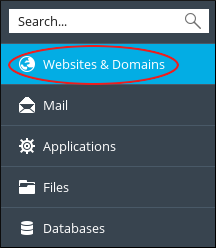
- In the left sidebar, click Websites & Domains:
- The IP address appears near the top of the website management area:

cPanel
To determine the IP address on a cPanel-based account, follow these steps:
- Log in to cPanel.
If you do not know how to log in to your cPanel account, please see this article.
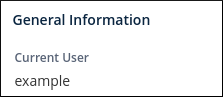
- In the right column of the cPanel home screen, locate the heading:
-
In the General Information section, click Server Information:

-
On the Server Information page, in the Item column, locate Shared IP Address or Dedicated IP Address:


