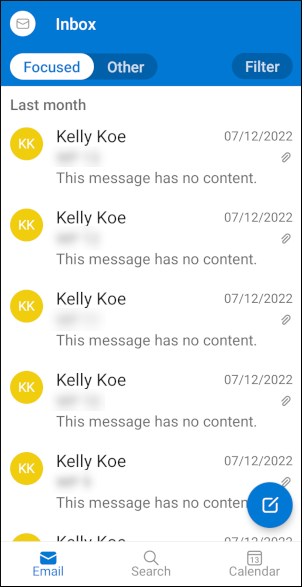
This article demonstrates how to set up the Microsoft Outlook app on Android to access an techseri e-mail account.
To configure the Outlook app to work with your techseri e-mail account, follow these steps:
- Make sure you have already created at least one e-mail account for your domain. If you have not done this, please see this article to learn how to create an e-mail account using cPanel.
- Start Outlook.
- Tap ADD ACCOUNT:
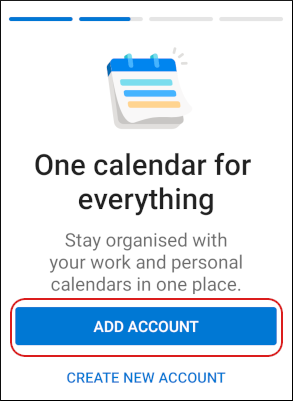 The user interface displayed in these images may differ slightly from the version you have installed.
 -
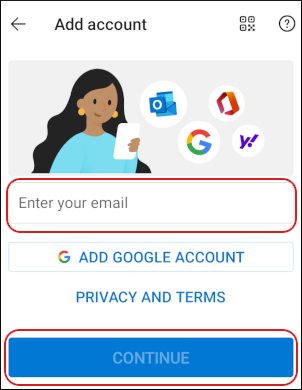
In the Enter your email text box, type the e-mail address of the account you created in cPanel, and then tap CONTINUE:
- The Connect IMAP page appears. In the Password text box, type the password for the e-mail account you created in cPanel.
- In the Display Name text box, type the name you want to appear on messages that you send from Outlook.
- In the Description text box, type a descriptive name for the account. The name can be anything you want (for example, techseri email account).
- Tap ADVANCED SETTINGS.
-
Under IMAP Incoming Email Server, confirm the following settings:
- The IMAP Host Name text box is set to mail.example.com, where example.com represents your domain name.
- The Port text box is set to 993.
- The Security type list box is set to SSL/TLS.
- In the IMAP Username text box, type the e-mail address of the account you created in cPanel.
- In the IMAP Password text box, type the password for the e-mail account you created in cPanel.
-
Under SMTP Outgoing Email Server, confirm the following settings:
- The SMTP Host Name text box is set to mail.example.com, where example.com represents your domain name.
- The Port text box is set to 465.
- The Security type list box is set to SSL/TLS.
- In the SMTP Username text box, type the e-mail address of the account you created in cPanel.
- In the SMTP Password text box, type the password for the e-mail account you created in cPanel.
- In the top right corner of the page, tap the white check mark icon. Outlook logs in to the account.
-
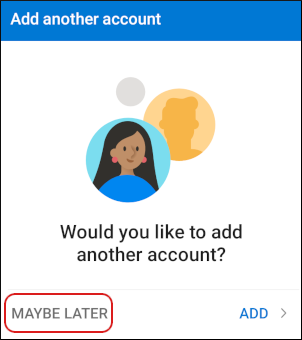
Under Would you like to add another account?, tap MAYBE LATER:
Outlook downloads any messages in the account, and the inbox appears: